
You've been told your project needs RBAC. Here's what it actually means, how to tell if you genuinely need it, and what happens if it's built as an afterthought.
- Core Focus: Custom Software
- Estimated Reading Time: 5 min read
- Author & Technical Review: The Digital Dude Team
The term you've been told you need
If you've talked to more than one software provider about a custom system, you've probably heard "role-based access control" — usually shortened to RBAC — mentioned as something your project needs. It's often said with the assumption that you already know what it means. You don't have to be technical to understand it, and you don't have to take it on faith that you need it either. Here's what it actually is, and how to tell if your business genuinely needs it.
What it actually means
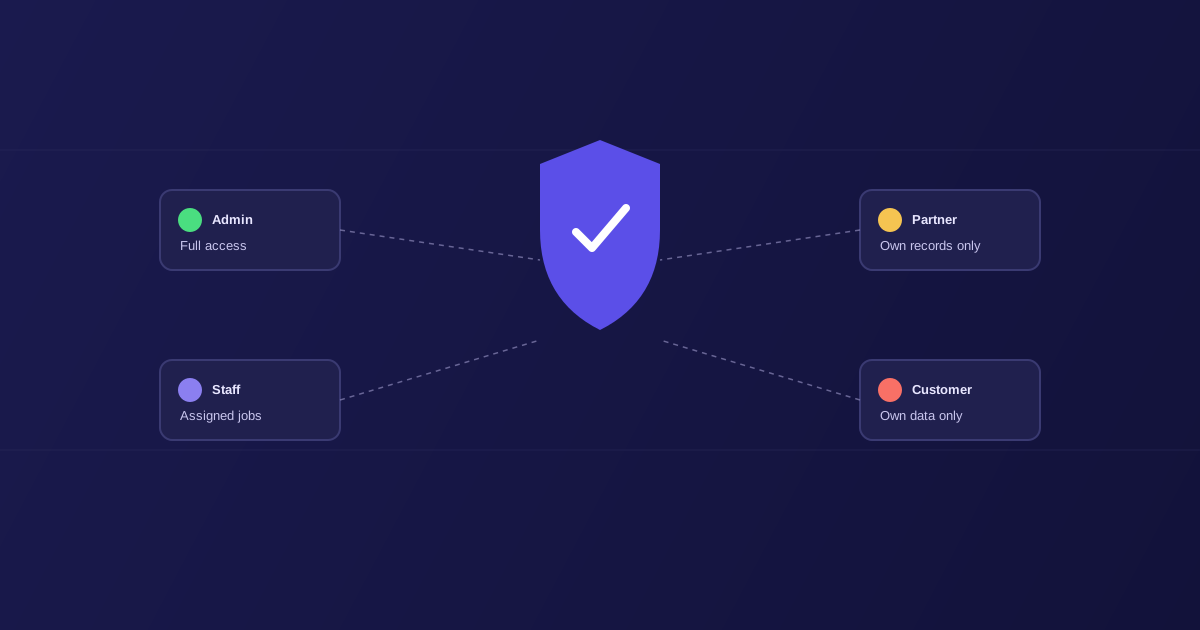
Role-based access control means different people using the same system see different things and can do different things, based on what role they hold — not because someone manually configured permissions for each individual person, but because the system has a defined set of roles (admin, staff, customer, partner, whatever fits your business) and each role has a defined set of what it can see and do.
The alternative — the thing RBAC replaces — is either giving everyone the same access to everything, or manually managing individual permissions person by person as your team grows. Both work fine at a small scale. Both become a real liability once your business involves more than a handful of people, or more than one type of user.
Why it matters more than it sounds like it should
Consider a business we built a system for that involves five distinct audiences: internal admin staff, internal team members, agency partners, property managers, and field technicians. Without role-based access, you'd either need to build five completely separate systems that don't talk to each other, or build one system and hope everyone only looks at the parts meant for them.
Neither of those is acceptable once real business consequences are involved. An agency partner should never see your internal margins on a job. A field technician doesn't need — and shouldn't have — access to another technician's billing. A recruitment CRM handling candidate documents needs different visibility for admins, agents, and the candidates themselves. Get this wrong, and you're not looking at a minor inconvenience — you're looking at a data exposure that damages trust with the people your business depends on.
The questions worth asking before you commit to a build
How many distinct types of people will use this system? If the honest answer is "just us, internally," RBAC might genuinely be overkill for now — a simpler permission model may be all you need, and there's no benefit to adding complexity you don't yet require. If the answer includes external partners, customers, or contractors alongside your own team, RBAC stops being optional.
Does anyone need to see partial information, not just all-or-nothing access? A property manager who should see the compliance status of their own properties but not another agency's is a genuinely different requirement from "logged in or not logged in." That distinction is exactly what role-based access is built to handle.
What's the actual cost of the wrong person seeing the wrong thing? In some businesses, that's a minor annoyance. In others — anything touching financial data, personal information, or compliance-sensitive records — it's a real liability. The more sensitive the data, the more this stops being a nice-to-have and starts being a requirement you should insist on from any provider building the system.
What to expect if you do need it
A properly built role-based system means access decisions get made once, at the role level, rather than repeatedly at the individual level as your team changes. New hire joins as a technician? They get exactly what every technician gets, automatically — nobody has to remember to configure their permissions by hand. That's not just a security benefit; it's an operational one, because it removes a category of manual admin work that otherwise grows in proportion to your headcount.
It's also, done properly, invisible to the people using the system day to day. Nobody using our matrimony platform or the cleaning marketplace experiences "role-based access control" as a feature — they just experience seeing exactly what's relevant to them and nothing else, which is how it should feel.
The one thing to watch for
The risk with RBAC isn't building it — it's building it as an afterthought. Retrofitting proper role separation onto a system that was built assuming everyone sees everything is a much bigger job than designing it in from the start, because by that point real workflows and habits have formed around the wrong access model. If your business genuinely has multiple types of users, this is a decision to make in week one of scoping, not something to patch in after launch.
Not sure whether your project actually needs role-based access, or something simpler would do? [Book a 30-minute call](/contact) and we'll give you a straight answer either way.
The Digital Dude Team
Verified AuthorTechnical LeadAuthored and reviewed by senior engineering practitioners at The Digital Dude. Specializing in high-performance web architecture, scalable databases, programmatic SEO, and enterprise conversion systems.
Need expert execution for Custom Software?
Whether you are migrating from legacy tooling or architecting custom infrastructure, our UK-based engineers will design a high-converting solution tailored to your workflow.